
Quisim Block API Reference
Overview
This reference lists every block of the Quisim modeling language with its attributes, sockets and measures. It complements the Quisim Simulation Modeling Handbook, which explains the concepts (entities, blocks, pipes and wires) and walks through complete models. Terms such as replication, renege or warm-up are explained in the Glossary.
Note: This page is generated automatically from Quisim itself. It describes Quisim 0.22 (16 Oct 2026).
Contents
- How to Read an Entry
- Attribute Types
- Common Attributes
- Entity Attributes
- Connectors
- Entity Blocks
- Arrive — Creates entities at outlet with interarrival times given by duration.
- Provide — Provisions an entity at outlet at all times, indefinitely.
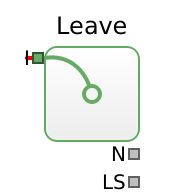
- Leave — Deletes any entity incoming at the inlet.
- Perform — Delays any entity incoming at the inlet by the given duration.
- Queue — Temporarily stores entities incoming at the inlet.
- Meter — Counts the number of passed entities from inlet to outlet.
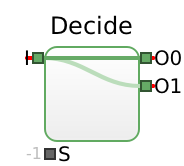
- Decide — An incoming entity is sent to outlets[S] where S is the selectedOutlet number, which is always rounded down to the next integer.
- Select — The incoming entity is taken from inlets[S] where S is the selectedInlet number, which is always rounded down to the next integer.
- Pack — Packs entities incoming at the inlet into the packet entity.
- Unpack — Unpacks a packet entity incoming at the inlet.
- Set — Sets the attribute named attribute of a passing entity to value.
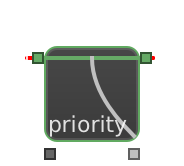
- Get — Gets the value of attribute named attribute of an entity that is being evaluated for being passed through.
- Lineup — Synchronizes multiple entities.
- Value Blocks
- Explorer — Explores simulation runs in a loop by configuring and evaluating them.
- Note — Displays a text note.
- Number — Shows a number, either fixed or from the inlet, and provides it at the output.
- NumberInput — Editable number that is provided at the output.
- Function — Calls the stated function code, reading the parameter array
Pand writing to the measure arrayM. - Aggregate — Reduces incoming value to an aggregate value, initialized with init.
- BrentOptimize — The Brent algorithm optimizes the given objective locally in the range [lower,upper].
- Random Number Blocks
- RandomUniform — Generates uniformly distributed random variates in the range [lower,upper).
- RandomExponential — Generates exponentially distributed random variates adhering to the given mean µ, which is the inverse of the rate λ.
- RandomPoisson — Generates Poisson distributed random variates adhering to the given mean µ.
- RandomDiscrete — Generates discrete random variates: outcome i is drawn with probability probabilities[i] and yields values[i], or i itself if values is empty, i.e., 0,1,…,n-1 for n probabilities.
- RandomContinuous — Generates continuous random variates from an empirical distribution by the inversion method: the cumulative distribution function F is linear between support points, and each variate is F⁻¹(u) for a uniform u.
- RandomPiecewiseLinear — Generates continuous random variates whose density is piecewise linear: values are k+1 non-decreasing points and densities the density at each point, linear in between and normalized by the total area.
- RandomGamma — Generates gamma distributed random variates adhering to the given shape k and scale θ.
- RandomWeibull — Generates Weibull distributed random variates adhering to the given shape k and scale θ.
- RandomNormal — Generates normally distributed random variates adhering to the given mean µ and standard deviation stddev σ.
- RandomLognormal — Generates log-normally distributed random variates adhering to the given mean µ and standard deviation stddev σ.
- RandomPERT — Generates PERT distributed random variates in the range [lower,upper] for an expert estimate: at least lower, most likely mode, at most upper, where lower≤mode≤upper.
- Report Blocks
- Chart — Shows a stairstep line chart of the given input parameters P.
- Histogram — Displays a histogram of the given input parameters P.
- Report — Collects a protocol of the given input parameters P.
- Statistics — Computes mean values and confidence intervals of the given input parameters P.
- SummaryStatistics — Estimates the mean and confidence interval of a sample of results, such as the batch means M of a Statistics block wired into its input V.
- EnsemblePlot — Displays a Welch plot of the given input parameters P, used to identify the warm-up (transient) phase before steady state.
- Steering
- Glossary
How to Read an Entry
Each block section starts with the description shown in Quisim's info tab, followed by a short example in the modeling language and up to five tables. Tables that would be empty are left out.
- Attributes are the properties you set inside the braces of a block, for example
Queue { id: queue0; capacity: 5 }. Default is the value used when you set nothing (— means there is no fixed default; “same asx” means the default follows attributex). If an attribute also has a Wire input, its value can instead be driven during the run by a wire into that connector. - Entity inputs and Entity outputs are the green entity sockets: inputs on the left, outputs on the right. Their connector names are the endpoints of a
Pipe. - Data inputs are the silver data sockets on the left. Their connector names (
parameter…) are the targets of aWire. An input marked wire only has no attribute that could be set as a constant. - Measures are the silver data sockets on the right, the values a block reports. Their connector names (
measure…) are the sources of aWire. - Label is the short symbol drawn next to a socket in the editor, such as
C,LorRD. Labels never appear in model code; use the Connector name instead. - Name (measures only) is the descriptive name of a measure, which is usually also a property of the block, such as
loadforqueue0.load. AWirestill uses the Connector name. The column is left out when no measure of the block has a name.
A constant is assigned by the attribute name, as in Queue { id: queue0; renegeDuration: 60 }. To vary the value during the run, a wire goes into the data input of that attribute instead, named by its connector, here queue0.parameterRenegeDuration. For a given attribute, use either a constant or a wire, not both.
Indexed connectors
Some blocks have a variable number of sockets. These form zero-indexed arrays that are written inlets[0], outlets[1], parameters[0] or measures[2] in the modeling language. In the editor the same sockets are labelled I0, O1, P[0] or M[2]. The number of sockets is set by a count attribute such as numParameters, numOutlets (Decide), numInlets (Select), numConnectors (Lineup) or numMeasures (Function, Explorer); raise it before you connect a further index. See also Block Sockets in the handbook.
Inside the code of a Function block (its code, context and init attributes) and of an Explorer block (its code attribute), P and M are the JavaScript arrays themselves, so M[0]=P[0]+P[1] is correct there. The code of an Aggregate block uses A (the aggregate) and V (the incoming value) instead, as in A+=V.
Statistics column
The Statistics column of the measures table tells how a downstream Statistics block should aggregate the measure:
- time-weighted: a level that varies over time, such as a queue length. Set
timeAverage: trueon the Statistics block. - cumulative: a running total, such as a count of passed entities. Set
cumulative: trueto report its increase over the run. - —: a plain value per observation. Leave both off.
Special values
In the tables, ∞ stands for Infinity (unlimited), −∞ for -Infinity, and NaN for “not a number”, which several blocks use to mean “determine automatically”. In model code, write Infinity, -Infinity or NaN, for example Perform { id: perform0; capacity: Infinity }.
Attribute Types
Every attribute and data input has a type that determines which values Quisim accepts. Quisim checks the values you enter in the properties pane against this type.
Common Attributes
These attributes are understood by all blocks or by all connectors (Pipe and Wire). They are not repeated in the block sections below.
| Attribute | Type | Applies to | Description |
|---|---|---|---|
label | String | blocks | Caption shown on the block. |
active | Bool | blocks | Whether the block takes part in the simulation. It can also be wired into parameterActive, but only on blocks whose Data inputs table lists that connector. |
x | FiniteReal | blocks | Horizontal position on the canvas. |
y | FiniteReal | blocks | Vertical position on the canvas. |
width | PositiveFiniteReal | blocks | Width of the block on the canvas. |
height | PositiveFiniteReal | blocks | Height of the block on the canvas. |
incline | FiniteReal | Pipe, Wire | Horizontal offset of both control points: how far the line runs out of the source socket before it turns. |
decline | FiniteReal | Pipe, Wire | Moves the second control point to the left: how far the line runs into the target socket. Defaults to twice incline. |
bend | FiniteReal | Pipe, Wire | Moves the curve vertically: shifts both control points of the line down (negative values: up), so the line bows. Dragging the line in the editor sets it. |
debend | FiniteReal | Pipe, Wire | Moves the end of the curve vertically: shifts the second control point up, against bend, so the line enters the target from another angle. |
offLayout | Bool | blocks | If true, the block is excluded from the automatic layout. |
color | Color | blocks, Pipe, Wire | Colour of the block or of the connector line. |
fillColor | Color | blocks | Background colour of the block. |
borderColor | Color | blocks | Border colour of the block. |
visible | Bool | blocks | Whether the block is drawn. |
inPriority | ReadOnly | Pipe, Wire | Set by Quisim: rank among the connectors at the same receiving socket. 1 comes first, and that is the connector defined last in the code. |
outPriority | ReadOnly | Pipe, Wire | Set by Quisim: rank among the connectors at the same sending socket. 1 is tried first, and that is the connector defined last in the code. |
noPush | Bool | Wire | If true, a value sent through the wire updates the data input quietly: it triggers no computation and counts as no observation, the block uses it when it computes anyway. Breaks feedback loops, or lets only one of several inputs trigger. |
noPull | Bool | Wire | If true, a read of the data input is not passed on to the measure, so the measure does not compute a fresh value for it. |
noPushRepeats | Bool | Wire | If false (default), every value sent through the wire reaches the data input as a new value, also if it equals the current one, so a Function computes again on two equal results in a row. true passes a value on only if it differs from the current one. |
Entity Attributes
Every entity carries attributes. Besides the built-in ones below, you can define your own with a Set block, under any name: priority in the examples of this page is such a self-defined attribute. Entity attributes are read with the Get block. See also Entity Attributes in the handbook.
| Attribute | Set by | Meaning |
|---|---|---|
number | Quisim, when the entity is created | Unique number of the entity. Read-only. |
color | Arrive or Provide (their color attribute), or a Set block | Colour in which the entity is drawn. |
symbol | Arrive or Provide (their symbol attribute), or a Set block | Symbol drawn for the entity. |
innerEntitiesLength | Quisim | Number of entities packed into this entity. Read-only. |
lastWait | Queue | Time the entity waited in the last queue it left. |
lastDuration | Perform | Duration of the last Perform activity. |
meterTime | Meter | Simulation time at which the entity passed the last Meter. |
lastEntryTime is not an attribute: it is the keyword for arrival order in the criterion of the Queue and Pack blocks, and their default.
While a model runs, the Entities page of Quisim's Monitor tab lists the entities in the selected block together with their attributes.
Connectors
Blocks are connected by two kinds of connectors. Each one names its source with from and its target with to, written as blockId.connector.
Pipe
Transports an entity from an outlet to an inlet.
If several pipes leave the same outlet, an entity is offered to them one after the other, starting with the pipe defined last in the code. Quisim numbers the pipes at a socket in that order as their priority (1 is tried first), see outPriority and inPriority.


Wire
Transmits a value from a measure to a parameter (data input).
If several wires are connected to the same socket, the wire defined last in the code has priority. Quisim numbers the wires at a socket in that order as their priority (1 comes first), see outPriority and inPriority.
Every value sent is passed on, also if it equals the current value of the data input: a Function there computes again, so two equal results in a row stay two. A value sent in answer to a read, or one that returns unchanged around a feedback loop, counts as unchanged. With noPushRepeats, only a changed value is passed on.
With noPush, a value sent updates the data input quietly: it triggers no computation and counts as no observation, the block uses it when it computes anyway (e.g. a Function triggered by another input). Use it to break a feedback loop or to let only one of several inputs trigger. With noPull, a read of the data input is not passed on to the measure, which then does not compute a fresh value.


Entity Blocks
Entity blocks create, process, route and dispose of entities. Entities travel along pipes between their entity sockets.
Arrive Block
Creates entities at outlet with interarrival times given by duration.
If a created entity is still there when the next entity arrives, the arrival is blocked until the entity is gone, which delays the next interarrival time correspondingly.
When beginAtZero is set, the first entity arrives at time 0, otherwise when passing the first duration. If duration is negative, it is ‘rounded up’ to 0.
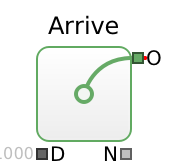
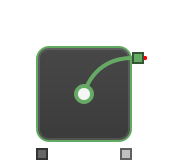
Attributes
| Attribute | Type | Default | Wire input | Description |
|---|---|---|---|---|
duration | NonNegativeReal | 1000 | parameterDuration | Interarrival time |
beginAtZero | Bool | true | — | The first entity arrives at time 0 instead of after the first duration. |
color | Color | "#000000" | — | Colour given to each created entity (its color attribute). |
symbol | Symbol | "" | — | Symbol given to each created entity (its symbol attribute). |
Entity outputs (green sockets on the right)
| Connector | Label | Description |
|---|---|---|
outlet | O | Outlet |
Data inputs (silver sockets on the left)
| Connector | Label | Attribute | Type | Default | Description |
|---|---|---|---|---|---|
parameterDuration | D | duration | NonNegativeReal | 1000 | Interarrival time |
Measures (silver sockets on the right)
| Connector | Label | Name | Description | Statistics |
|---|---|---|---|---|
measureNumPassed | N | numPassed | Passed entity count | cumulative |
Provide Block
Provisions an entity at outlet at all times, indefinitely. The next entity is created as soon as the previous one is transported away.
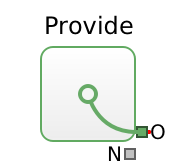
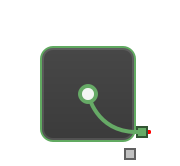
Attributes
| Attribute | Type | Default | Wire input | Description |
|---|---|---|---|---|
color | Color | "#000000" | — | Colour given to each created entity (its color attribute). |
symbol | Symbol | "" | — | Symbol given to each created entity (its symbol attribute). |
Entity outputs (green sockets on the right)
| Connector | Label | Description |
|---|---|---|
outlet | O | Outlet |
Measures (silver sockets on the right)
| Connector | Label | Name | Description | Statistics |
|---|---|---|---|---|
measureNumPassed | N | numPassed | Passed entity count | cumulative |
Leave Block
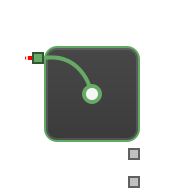
Deletes any entity incoming at the inlet.
Entity inputs (green sockets on the left)
| Connector | Label | Description |
|---|---|---|
inlet | I | Inlet |
Measures (silver sockets on the right)
| Connector | Label | Name | Description | Statistics |
|---|---|---|---|---|
measureNumPassed | N | numPassed | Passed entity count | cumulative |
measureSojourn | LS | lastSojourn | Sojourn time between entry and leave of last exited entity | — |
Perform Block
Delays any entity incoming at the inlet by the given duration.
If the delayed entity is not transported away instantly from outlet, then the entity takes up capacity as long as it waits.
The activity has a given capacity of entities in parallel, which is unlimited if set to Infinity. Then, multiple entities are processed in parallel, each using the given duration (the value is taken on arrival of the entity), which is ‘rounded up’ to 0 if a negative duration is given.
Two triggers make processed entities excess. With haltExcess, reducing capacity below the number of processed entities makes those ranked last excess; otherwise they keep being processed (soft cap). With preemptive, an arriving entity that strictly outranks the processed entity ranked last is admitted even at full capacity, and that entity becomes excess; an arriving entity that does not outrank it waits upstream.
An excess entity stops being processed. If outEvict (E) can take it right away, it leaves there, with its remaining work in the attribute remainingDuration; otherwise it is halted. A halted entity resumes, best-ranked first, as soon as capacity frees up, or leaves through E as soon as E opens. So piping E decides whether excess entities leave or wait. Finished entities waiting at the outlet are never touched. The load counts halted entities, too.
Entities are ranked according to the criterion in ascending (otherwise descending) order. The default criterion remainingDuration is a keyword for the work still to do (an arriving entity's full duration), so the entity with the most remaining work is ranked last, and preemptive gives shortest remaining processing time first (SRPT). The keyword lastEntryTime is the time of entering the block: not ascending, it gives preemptive LIFO; ascending, it never preempts. Any other criterion names an entity attribute, e.g. a priority.
The E outlet is shown if haltExcess or preemptive is set or it is piped.


Attributes
| Attribute | Type | Default | Wire input | Description |
|---|---|---|---|---|
capacity | NonNegativeIntWithInfinity | 1 | parameterCapacity | Parallel processing capacity |
duration | NonNegativeReal | 1000 | parameterDuration | Processing duration |
criterion | AttributeName | "remainingDuration" | — | Ranking of the entities in service, the last ranked stops first: the keyword remainingDuration for the work still to do, lastEntryTime for the entry time, otherwise the name of an entity attribute. |
ascending | Bool | true | — | Ascending ranking (the entity with most remaining work is ranked last by default); false reverses it. |
haltExcess | Bool | false | — | When the capacity drops below the number in service, the entities ranked last stop: they leave through outEvict if it can take them, else they are halted until capacity frees up; false keeps them running (soft cap). |
preemptive | Bool | false | — | An arriving entity that strictly outranks the entity in service ranked last takes its place, which leaves through outEvict if it can take it, else is halted. |
Entity inputs (green sockets on the left)
| Connector | Label | Description |
|---|---|---|
inlet | I | Inlet |
Entity outputs (green sockets on the right)
| Connector | Label | Description |
|---|---|---|
outlet | O | Outlet |
outEvict | E | Evict |
Data inputs (silver sockets on the left)
| Connector | Label | Attribute | Type | Default | Description |
|---|---|---|---|---|---|
parameterCapacity | C | capacity | NonNegativeIntWithInfinity | 1 | Parallel processing capacity |
parameterDuration | D | duration | NonNegativeReal | 1000 | Processing duration |
Measures (silver sockets on the right)
| Connector | Label | Name | Description | Statistics |
|---|---|---|---|---|
measureLoad | L | load | Number of held entities: processed, halted, and finished but blocked | time-weighted |
Queue Block
Temporarily stores entities incoming at the inlet.
Outgoing entities are ordered according to the criterion attribute in ascending (otherwise in descending) order. The default criterion lastEntryTime is a keyword, not an entity attribute: it means arrival order, i.e. first in, first out (FIFO), or last in, first out (LIFO) when ascending is false. Any other criterion names an entity attribute (for example one written by a Set block), and entities are sorted by its numeric value.
If the outlet is blocked and renegeDuration is set, the entity is instead sent to outRenege after renegeDuration (the value is taken on arrival of the entity, and ‘rounded up’ to 0 if negative) has passed.
If the capacity is reached, an incoming entity waits upstream, even while the outlet is open. With capacity 0 there is no waiting room: an entity passes straight through only if the next block takes it at once, otherwise it waits upstream. If capacity drops below the load, no entity is removed: the queue just drains (soft cap). With evictExcess, the entity served last is sent to outEvict (E) instead, one at a time until the load fits the capacity. With preemptive, at exactly full capacity, an incoming entity pushes the entity served last out to E if it would be served before it: never with FIFO, always with LIFO, and with any other criterion only if its value is strictly lower (strictly higher if not ascending). While E is blocked or not piped, nothing is removed; removal resumes as soon as E opens.
Outlets are numbered in the order shown: outlet is 0, then R (outRenege) if reneging is enabled – renegeDuration is finite or wired – or R is piped, then E if evictExcess or preemptive is set or E is piped.


Attributes
| Attribute | Type | Default | Wire input | Description |
|---|---|---|---|---|
capacity | NonNegativeIntWithInfinity | ∞ | parameterCapacity | Maximum number of enqueued entities |
renegeDuration | NonNegativeReal | ∞ | parameterRenegeDuration | Renege wait duration |
criterion | AttributeName | "lastEntryTime" | — | Ordering: the keyword lastEntryTime for arrival order, otherwise the name of an entity attribute to sort by. |
ascending | Bool | true | — | Ascending order (FIFO with lastEntryTime); false reverses it (LIFO). |
evictExcess | Bool | false | — | On a capacity drop, send the entities served last to outEvict until the load fits the capacity; false keeps a soft cap. |
preemptive | Bool | false | — | At full capacity, an arriving entity that would be served earlier pushes the entity served last out to outEvict. |
Entity inputs (green sockets on the left)
| Connector | Label | Description |
|---|---|---|
inlet | I | Inlet |
Entity outputs (green sockets on the right)
| Connector | Label | Description |
|---|---|---|
outlet | O | Outlet |
outRenege | R | Renege |
outEvict | E | Evict |
Data inputs (silver sockets on the left)
| Connector | Label | Attribute | Type | Default | Description |
|---|---|---|---|---|---|
parameterCapacity | C | capacity | NonNegativeIntWithInfinity | ∞ | Maximum number of enqueued entities |
parameterRenegeDuration | RD | renegeDuration | NonNegativeReal | ∞ | Renege wait duration |
Measures (silver sockets on the right)
| Connector | Label | Name | Description | Statistics |
|---|---|---|---|---|
measureLoad | L | load | Number of enqueued entities | time-weighted |
measureWait | LW | — | Wait time of last exited entity | — |
Meter Block
Counts the number of passed entities from inlet to outlet. If a capacity is set, the meter stops passing entities if reaching this load. The load is reset when the reset parameter is changed to a non-zero value.
The count is the measure measureNumPassed; its name is load, the block property that holds it. Since a reset sets it back to 0, a Statistics block with cumulative set reports the increase since the last reset only if no reset happens during the run.


Attributes
| Attribute | Type | Default | Wire input | Description |
|---|---|---|---|---|
capacity | NonNegativeIntWithInfinity | ∞ | parameterCapacity | Maximum number of passed entities |
active | Bool | true | parameterActive | Activates this block |
Entity inputs (green sockets on the left)
| Connector | Label | Description |
|---|---|---|
inlet | I | Inlet |
Entity outputs (green sockets on the right)
| Connector | Label | Description |
|---|---|---|
outlet | O | Outlet |
Data inputs (silver sockets on the left)
| Connector | Label | Attribute | Type | Default | Description |
|---|---|---|---|---|---|
parameterActive | — | active | Bool | true | Activates this block |
parameterCapacity | C | capacity | NonNegativeIntWithInfinity | ∞ | Maximum number of passed entities |
parameterReset | R | — (wire only) | Int | 0 | Reset when changed to a non-zero value |
parameterReset is only driven by a wire; there is no attribute to set as a constant.
Measures (silver sockets on the right)
| Connector | Label | Name | Description | Statistics |
|---|---|---|---|---|
measureNumPassed | N | load | Passed entity count since the last reset | cumulative |
measureLastInterval | LI | — | Time interval between the two last passing entities | — |
measureLastTime | LT | — | Time that the last entity passed | — |
Decide Block
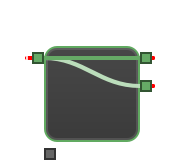
An incoming entity is sent to outlets[S] where S is the selectedOutlet number, which is always rounded down to the next integer. Is blocked if all outlets are blocked.
The default selectedOutlet -1 selects no outlet, and so does any number without a matching outlet: the entity then waits until a valid outlet is selected.
Attributes
| Attribute | Type | Default | Wire input | Description |
|---|---|---|---|---|
numOutlets | PositiveInt | 2 | — | Number of outlets. |
selectedOutlet | Int | -1 | parameterSelectedOutlet | Outlet choice; -1 selects none |
Entity inputs (green sockets on the left)
| Connector | Label | Description |
|---|---|---|
inlet | I | Inlet |
Entity outputs (green sockets on the right)
| Connector | Label | Description |
|---|---|---|
outlets[0] | O0 | Outlet 0 |
outlets[1] | O1 | Outlet 1 |
There are numOutlets indexed outlets[…], numbered from 0; the table shows the default numOutlets = 2.
Data inputs (silver sockets on the left)
| Connector | Label | Attribute | Type | Default | Description |
|---|---|---|---|---|---|
parameterSelectedOutlet | S | selectedOutlet | Int | -1 | Outlet choice; -1 selects none |
Select Block
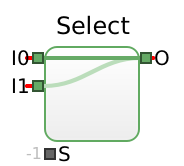
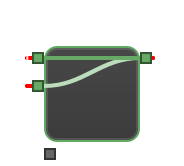
The incoming entity is taken from inlets[S] where S is the selectedInlet number, which is always rounded down to the next integer. An inlet is blocked if it is not selected or the outlet is blocked.
The default selectedInlet -1 selects no inlet, and so does any number without a matching inlet: then all inlets are blocked.
Attributes
| Attribute | Type | Default | Wire input | Description |
|---|---|---|---|---|
numInlets | PositiveInt | 2 | — | Number of inlets. |
selectedInlet | Int | -1 | parameterSelectedInlet | Selected inlet; -1 selects none |
Entity inputs (green sockets on the left)
| Connector | Label | Description |
|---|---|---|
inlets[0] | I0 | Inlet 0 |
inlets[1] | I1 | Inlet 1 |
There are numInlets indexed inlets[…], numbered from 0; the table shows the default numInlets = 2.
Entity outputs (green sockets on the right)
| Connector | Label | Description |
|---|---|---|
outlet | O | Outlet |
Data inputs (silver sockets on the left)
| Connector | Label | Attribute | Type | Default | Description |
|---|---|---|---|---|---|
parameterSelectedInlet | S | selectedInlet | Int | -1 | Selected inlet; -1 selects none |
Pack Block
Packs entities incoming at the inlet into the packet entity.
This entity is sent to the outlet as soon as possible, i.e., as soon as the sufficiency number of loaded entities is attained. There are no further entities packed into the container when the capacity limit is reached. By default, sufficiency=capacity, and capacity is ∞.
Inside the packet, the entities are kept in arrival order with the default criterion lastEntryTime, which is a keyword, not an entity attribute. Any other criterion names an entity attribute, and the packed entities are ordered by its numeric value, lowest first.


Attributes
| Attribute | Type | Default | Wire input | Description |
|---|---|---|---|---|
capacity | NonNegativeIntWithInfinity | ∞ | parameterCapacity | Upper load that is acceptable |
sufficiency | NonNegativeIntWithInfinity | same as capacity | parameterSufficiency | Bottom load for sending a packet |
criterion | AttributeName | "lastEntryTime" | — | Order inside the packet: the keyword lastEntryTime for arrival order, otherwise the name of an entity attribute to sort by. |
Entity inputs (green sockets on the left)
| Connector | Label | Description |
|---|---|---|
inlet | I | Inlet |
inPacket | P | Packet |
Entity outputs (green sockets on the right)
| Connector | Label | Description |
|---|---|---|
outlet | O | Outlet |
Data inputs (silver sockets on the left)
| Connector | Label | Attribute | Type | Default | Description |
|---|---|---|---|---|---|
parameterCapacity | C | capacity | NonNegativeIntWithInfinity | ∞ | Upper load that is acceptable |
parameterSufficiency | B | sufficiency | NonNegativeIntWithInfinity | same as capacity | Bottom load for sending a packet |
Measures (silver sockets on the right)
| Connector | Label | Name | Description | Statistics |
|---|---|---|---|---|
measureLoad | L | load | Load | time-weighted |
measureLastLoad | LL | lastLoad | Load of last sent packet entity | — |
measureHasPackage | HP | hasPackage | Has a packet for packing? | time-weighted |
Unpack Block
Unpacks a packet entity incoming at the inlet. It is sent to the packet outlet, but only after unpacking, which involves enqueuing and sending at most capacity inner entities to the outlet. See Queue for how to handle the queue, except that its wait measure – relabelled LD here and wired as measureWait – measures elapsed time from the entity's enqueuing in the Pack block until exiting here.
The capacity is read when a packet arrives only. Unpack has no E outlet and ignores criterion: it takes a packet only when empty, and inner entities beyond capacity stay in the packet. R is shown if reneging is enabled or R is piped.


Attributes
| Attribute | Type | Default | Wire input | Description |
|---|---|---|---|---|
capacity | NonNegativeIntWithInfinity | ∞ | parameterCapacity | Maximum number of enqueued entities |
renegeDuration | NonNegativeReal | ∞ | parameterRenegeDuration | Renege wait duration |
ascending | Bool | true | — | Release the inner entities in packing order; false reverses it. |
Entity inputs (green sockets on the left)
| Connector | Label | Description |
|---|---|---|
inlet | I | Inlet |
Entity outputs (green sockets on the right)
| Connector | Label | Description |
|---|---|---|
outlet | O | Outlet |
outRenege | R | Renege |
outPack | P | Packet |
Data inputs (silver sockets on the left)
| Connector | Label | Attribute | Type | Default | Description |
|---|---|---|---|---|---|
parameterCapacity | C | capacity | NonNegativeIntWithInfinity | ∞ | Maximum number of enqueued entities |
parameterRenegeDuration | RD | renegeDuration | NonNegativeReal | ∞ | Renege wait duration |
Measures (silver sockets on the right)
| Connector | Label | Name | Description | Statistics |
|---|---|---|---|---|
measureLoad | L | load | Number of enqueued entities | time-weighted |
measureWait | LD | — | Pack (containment) duration of last exited entity | — |
measureHasPackage | HP | hasPackage | Has a package for unpacking? | time-weighted |
Set Block
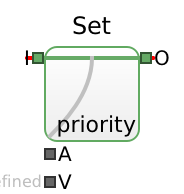
Sets the attribute named attribute of a passing entity to value. You may choose the attribute name freely, but the read-only attributes number and innerEntitiesLength cannot be set.
See Entity Attributes for the attributes every entity has.

Attributes
| Attribute | Type | Default | Wire input | Description |
|---|---|---|---|---|
attribute | AttributeName | "" | parameterAttribute | Attribute name |
value | Variant | — | parameterValue | Attribute value |
Entity inputs (green sockets on the left)
| Connector | Label | Description |
|---|---|---|
inlet | I | Inlet |
Entity outputs (green sockets on the right)
| Connector | Label | Description |
|---|---|---|
outlet | O | Outlet |
Data inputs (silver sockets on the left)
| Connector | Label | Attribute | Type | Default | Description |
|---|---|---|---|---|---|
parameterAttribute | A | attribute | AttributeName | "" | Attribute name |
parameterValue | V | value | Variant | — | Attribute value |
Get Block
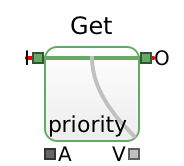
Gets the value of attribute named attribute of an entity that is being evaluated for being passed through.
See Entity Attributes for the attributes every entity has.
Attributes
| Attribute | Type | Default | Wire input | Description |
|---|---|---|---|---|
attribute | AttributeName | "" | parameterAttribute | Attribute name |
Entity inputs (green sockets on the left)
| Connector | Label | Description |
|---|---|---|
inlet | I | Inlet |
Entity outputs (green sockets on the right)
| Connector | Label | Description |
|---|---|---|
outlet | O | Outlet |
Data inputs (silver sockets on the left)
| Connector | Label | Attribute | Type | Default | Description |
|---|---|---|---|---|---|
parameterAttribute | A | attribute | AttributeName | "" | Attribute name |
Measures (silver sockets on the right)
| Connector | Label | Description | Statistics |
|---|---|---|---|
measureValue | V | Attribute value | — |
Lineup Block
Synchronizes multiple entities. There are numConnectors inlets and outlets. Transports an entity from inlets[i] to outlets[i] for each 0≤i<numConnectors whereby the block waits until neededEntities have arrived at distinct inlets (so the entities line up), then waits again until all entities can be sent out at once, each at its corresponding outlet. There must be 1≤neededEntities≤numConnectors. By default, neededEntities=numConnectors.


Attributes
| Attribute | Type | Default | Wire input | Description |
|---|---|---|---|---|
numConnectors | PositiveInt | 2 | — | Number of inlet/outlet pairs. |
neededEntities | PositiveInt | same as numConnectors | parameterNeededEntities | Number of needed entities per gathering |
Entity inputs (green sockets on the left)
| Connector | Label | Description |
|---|---|---|
inlets[0] | I0 | Inlet 0 |
inlets[1] | I1 | Inlet 1 |
There are numConnectors indexed inlets[…], numbered from 0; the table shows the default numConnectors = 2.
Entity outputs (green sockets on the right)
| Connector | Label | Description |
|---|---|---|
outlets[0] | O0 | Outlet 0 |
outlets[1] | O1 | Outlet 1 |
There are numConnectors indexed outlets[…], numbered from 0; the table shows the default numConnectors = 2.
Data inputs (silver sockets on the left)
| Connector | Label | Attribute | Type | Default | Description |
|---|---|---|---|---|---|
parameterNeededEntities | C | neededEntities | PositiveInt | same as numConnectors | Number of needed entities per gathering |
Measures (silver sockets on the right)
| Connector | Label | Name | Description | Statistics |
|---|---|---|---|---|
measureNumAvailable | L | numAvailable | Available entity count | time-weighted |
Value Blocks
Value blocks set values, compute functions and run experiments. They have data sockets only.
Explorer Block
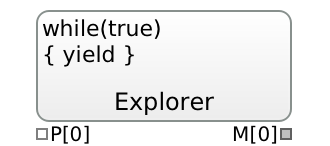
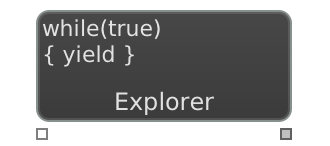
Explores simulation runs in a loop by configuring and evaluating them. Use the parameter array P and set the measure array M. The yield command starts the next run and returns when finished. The return value is true unless the last experiment is done.
Attributes
| Attribute | Type | Default | Wire input | Description |
|---|---|---|---|---|
code | Code | "while(true)\n{ yield }" | — | JavaScript code of the exploration loop: reads P, sets M, and calls yield to start the next run. |
numParameters | PositiveInt | 1 | — | Number of data inputs parameters[0], parameters[1], …. |
numMeasures | PositiveInt | 1 | — | Number of measures measures[0], measures[1], …. |
plotLogScaled | Bool | false | — | Logarithmic plot scale (currently has no effect). |
Data inputs (silver sockets on the left)
| Connector | Label | Attribute | Type | Default | Description |
|---|---|---|---|---|---|
parameters[0] | P[0] | — | Variant | — | Parameter 0 |
There are numParameters indexed parameters[…], numbered from 0; the table shows the default numParameters = 1.
Measures (silver sockets on the right)
| Connector | Label | Description | Statistics |
|---|---|---|---|
measures[0] | M[0] | Measure 0 | — |
There are numMeasures indexed measures[…], numbered from 0; the table shows the default numMeasures = 1.
Note Block
Displays a text note.


Attributes
| Attribute | Type | Default | Wire input | Description |
|---|---|---|---|---|
text | MultiLineString | "" | — | Text of the note. |
fontBold | Bool | false | — | Bold text. |
fontSize | PositiveInt | 11 | — | Font size in pixels. |
fontColor | Color | "#000000" | — | Text colour. |
Number Block
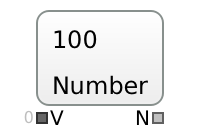
Shows a number, either fixed or from the inlet, and provides it at the output.
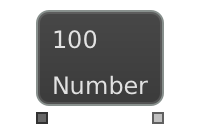
Attributes
| Attribute | Type | Default | Wire input | Description |
|---|---|---|---|---|
value | Real | 0 | parameterValue | Number value |
Data inputs (silver sockets on the left)
| Connector | Label | Attribute | Type | Default | Description |
|---|---|---|---|---|---|
parameterValue | V | value | Real | 0 | Number value |
Measures (silver sockets on the right)
| Connector | Label | Name | Description | Statistics |
|---|---|---|---|---|
measureValue | N | value | Number value | — |
NumberInput Block
Editable number that is provided at the output.


Attributes
| Attribute | Type | Default | Wire input | Description |
|---|---|---|---|---|
initValue | Real | 1 | — | Value when the model is loaded; it can then be edited while the simulation runs. |
lower | Real | −∞ | — | Smallest value that can be entered. |
upper | Real | ∞ | — | Largest value that can be entered. |
Measures (silver sockets on the right)
| Connector | Label | Name | Description | Statistics |
|---|---|---|---|---|
measureValue | N | value | Number value | — |
Function Block
Calls the stated function code, reading the parameter array P and writing to the measure array M.
The context code is evaluated once on model load, global functions and variables may be created here. The init code is evaluated on each simulation run start to reset global variables.
On parameter update and on measure read request, an immediate function evaluation happens unless deferredEvaluation is set, which schedules an update event. However, numRequested and numConsumed parameters do not trigger evaluation (and the latter does not issue read requests itself). The default M[0]=P[0] code copies the first parameter to the first measure.
Array values are accessed using P[i] and M[j] where 0≤i<numParameters+numRequested+numConsumed and 0≤j<numMeasures; both arrays start at index 0. A reusable context code can be given.
Multiple statements must be separated by ; (semicolon).
The JavaScript Math functions can be used (Math.max(), Math.min(), etc.).
Example function text that both adds and subtracts the two parameters and yields two measures: M[0]=P[0]+P[1];M[1]=P[0]-P[1]


Attributes
| Attribute | Type | Default | Wire input | Description |
|---|---|---|---|---|
context | Code | "" | — | JavaScript code evaluated once on model load, for global functions and variables. |
init | Code | "" | — | JavaScript code evaluated at the start of each run, to reset global variables. |
code | Code | "M[0]=P[0]" | — | JavaScript code that reads P and writes M. |
numParameters | NonNegativeInt | 1 | — | Number of parameters that trigger an evaluation when they change. |
numRequested | NonNegativeInt | 0 | — | Number of further parameters that are read on evaluation but do not trigger it. |
numConsumed | NonNegativeInt | 0 | — | Number of further parameters that neither trigger an evaluation nor request a value themselves. |
numMeasures | NonNegativeInt | 1 | — | Number of measures measures[0], measures[1], …. |
active | Bool | true | parameterActive | Activates this block |
deferredEvaluation | Bool | false | — | Evaluate in a scheduled update event instead of immediately. |
Data inputs (silver sockets on the left)
| Connector | Label | Attribute | Type | Default | Description |
|---|---|---|---|---|---|
parameterActive | — | active | Bool | true | Activates this block |
parameters[0] | P[0] | — | Variant | — | parameter triggers read on recompute, and itself triggers recompute if it changes |
There are numParameters indexed parameters[…], numbered from 0; the table shows the default numParameters = 1.
Measures (silver sockets on the right)
| Connector | Label | Description | Statistics |
|---|---|---|---|
measures[0] | M[0] | Measure 0 | — |
There are numMeasures indexed measures[…], numbered from 0; the table shows the default numMeasures = 1.
Aggregate Block
Reduces incoming value to an aggregate value, initialized with init. For example, a sum is attained with A+=V and init 0. The aggregate is reset to init when the reset parameter is changed to a non-zero value.
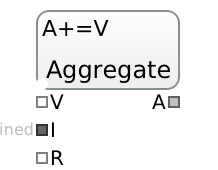

Attributes
| Attribute | Type | Default | Wire input | Description |
|---|---|---|---|---|
code | Code | "A=V??A" | — | JavaScript code that combines the aggregate A with the incoming value V, for example A+=V. |
init | Variant | — | parameterInit | Initial value for A |
value | Variant | — | parameterValue | Input value V, change triggers computation event |
ignoreNaN | Bool | true | — | Skip incoming NaN (not a number) values. |
Data inputs (silver sockets on the left)
| Connector | Label | Attribute | Type | Default | Description |
|---|---|---|---|---|---|
parameterActive | — | active | Bool | true | Activates this block |
parameterValue | V | value | Variant | — | Input value V, change triggers computation event |
parameterInit | I | init | Variant | — | Initial value for A |
parameterReset | R | — (wire only) | Int | 0 | Reset when changed to a non-zero value |
parameterReset is only driven by a wire; there is no attribute to set as a constant.
Measures (silver sockets on the right)
| Connector | Label | Name | Description | Statistics |
|---|---|---|---|---|
measureAggregate | A | aggregate | Aggregate value A | — |
BrentOptimize Block
The Brent algorithm optimizes the given objective locally in the range [lower,upper]. The search sets the first guess to init if given. The current guess is adapted when a new run is started.


Attributes
| Attribute | Type | Default | Wire input | Description |
|---|---|---|---|---|
minimize | Bool | true | — | Minimize the objective; false maximizes it. |
objective | Real | 0 | parameterObjective | Objective value |
lower | Real | −∞ | parameterLower | Lower bound of the search interval |
upper | Real | ∞ | parameterUpper | Upper bound of the search interval |
init | Real | lower + 0.382·(upper − lower), the golden-section point of the search interval (0 if the interval is unbounded) | parameterInit | Initial parameter |
plotLogScaled | Bool | false | — | Plot the objective history on a logarithmic scale. |
Data inputs (silver sockets on the left)
| Connector | Label | Attribute | Type | Default | Description |
|---|---|---|---|---|---|
parameterObjective | V | objective | Real | 0 | Objective value |
parameterLower | min | lower | Real | −∞ | Lower bound of the search interval |
parameterUpper | max | upper | Real | ∞ | Upper bound of the search interval |
parameterInit | I | init | Real | lower + 0.382·(upper − lower), the golden-section point of the search interval (0 if the interval is unbounded) | Initial parameter |
Measures (silver sockets on the right)
| Connector | Label | Name | Description | Statistics |
|---|---|---|---|---|
measureGuess | G | guess | Parameter guess | — |
measureBest | B | best | Best guess found | — |
Random Number Blocks
Random number blocks are value blocks that draw random variates from a probability distribution, for example for inter-arrival or service times. Each has its own seed, so runs are reproducible.
RandomUniform Block
Generates uniformly distributed random variates in the range [lower,upper).


Attributes
| Attribute | Type | Default | Wire input | Description |
|---|---|---|---|---|
seed | NonNegativeInt | 0 | parameterSeed | Seed value for the random number generator. If set to 0, the global generator is used. |
lower | FiniteReal | 0 | parameterLower | Lower value |
upper | FiniteReal | 1 | parameterUpper | Upper value |
floor | Bool | false | — | Round each variate down to a whole number. |
Data inputs (silver sockets on the left)
| Connector | Label | Attribute | Type | Default | Description |
|---|---|---|---|---|---|
parameterSeed | S | seed | NonNegativeInt | 0 | Seed value for the random number generator. If set to 0, the global generator is used. |
parameterLower | min | lower | FiniteReal | 0 | Lower value |
parameterUpper | max | upper | FiniteReal | 1 | Upper value |
Measures (silver sockets on the right)
| Connector | Label | Name | Description | Statistics |
|---|---|---|---|---|
measureRandomVariate | V | nextVariate | Random variate | — |
measureExpectedValue | EV | expectedValue | Expected value for the given parameterization, including the limits | — |
measureExpectedStdDev | ESD | expectedStdDev | Expected standard deviation for the given parameterization, including the limits | — |
RandomExponential Block
Generates exponentially distributed random variates adhering to the given mean µ, which is the inverse of the rate λ.


Attributes
| Attribute | Type | Default | Wire input | Description |
|---|---|---|---|---|
seed | NonNegativeInt | 0 | parameterSeed | Seed value for the random number generator. If set to 0, the global generator is used. |
mean | NonNegativeReal | 1 | parameterMean | Mean µ=1/λ |
lower | NonNegativeReal | 0 | parameterLower | Lower value of the truncated distribution |
upper | NonNegativeReal | ∞ | parameterUpper | Upper value of the truncated distribution |
floor | Bool | false | — | Round each variate down to a whole number. |
Data inputs (silver sockets on the left)
| Connector | Label | Attribute | Type | Default | Description |
|---|---|---|---|---|---|
parameterSeed | S | seed | NonNegativeInt | 0 | Seed value for the random number generator. If set to 0, the global generator is used. |
parameterMean | µ | mean | NonNegativeReal | 1 | Mean µ=1/λ |
parameterLower | min | lower | NonNegativeReal | 0 | Lower value of the truncated distribution |
parameterUpper | max | upper | NonNegativeReal | ∞ | Upper value of the truncated distribution |
Measures (silver sockets on the right)
| Connector | Label | Name | Description | Statistics |
|---|---|---|---|---|
measureRandomVariate | V | nextVariate | Random variate | — |
measureExpectedValue | EV | expectedValue | Expected value for the given parameterization, including the limits | — |
measureExpectedStdDev | ESD | expectedStdDev | Expected standard deviation for the given parameterization, including the limits | — |
RandomPoisson Block
Generates Poisson distributed random variates adhering to the given mean µ.


Attributes
| Attribute | Type | Default | Wire input | Description |
|---|---|---|---|---|
seed | NonNegativeInt | 0 | parameterSeed | Seed value for the random number generator. If set to 0, the global generator is used. |
mean | NonNegativeReal | 1 | parameterMean | Mean µ |
lower | Real | −∞ | parameterLower | Lower value of the truncated distribution |
upper | NonNegativeReal | ∞ | parameterUpper | Upper value of the truncated distribution |
Data inputs (silver sockets on the left)
| Connector | Label | Attribute | Type | Default | Description |
|---|---|---|---|---|---|
parameterSeed | S | seed | NonNegativeInt | 0 | Seed value for the random number generator. If set to 0, the global generator is used. |
parameterMean | µ | mean | NonNegativeReal | 1 | Mean µ |
parameterLower | min | lower | Real | −∞ | Lower value of the truncated distribution |
parameterUpper | max | upper | NonNegativeReal | ∞ | Upper value of the truncated distribution |
Measures (silver sockets on the right)
| Connector | Label | Name | Description | Statistics |
|---|---|---|---|---|
measureRandomVariate | V | nextVariate | Random variate | — |
measureExpectedValue | EV | expectedValue | Expected value for the given parameterization, including the limits | — |
measureExpectedStdDev | ESD | expectedStdDev | Expected standard deviation for the given parameterization, including the limits | — |
RandomDiscrete Block
Generates discrete random variates: outcome i is drawn with probability probabilities[i] and yields values[i], or i itself if values is empty, i.e., 0,1,…,n-1 for n probabilities.
The probabilities are non-negative weights normalized by their sum. A non-empty values list must have the same length.
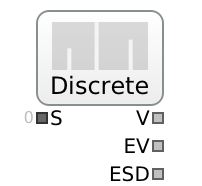
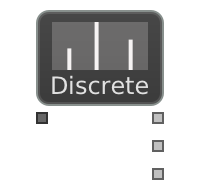
Attributes
| Attribute | Type | Default | Wire input | Description |
|---|---|---|---|---|
seed | NonNegativeInt | 0 | parameterSeed | Seed value for the random number generator. If set to 0, the global generator is used. |
probabilities | Array | "0.5,0.5" | — | Non-negative weights of the outcomes, normalized by their sum, e.g. [0.2, 0.5, 0.3]. |
values | Array | 0, 1, …, n−1 for n probabilities | — | Value of each outcome, same length as probabilities; empty means 0, 1, …, n−1. |
labels | Array | "" | — | Optional name of each outcome, e.g. ["walk-in", "appointment"]; display only, a length mismatch is ignored. |
Data inputs (silver sockets on the left)
| Connector | Label | Attribute | Type | Default | Description |
|---|---|---|---|---|---|
parameterSeed | S | seed | NonNegativeInt | 0 | Seed value for the random number generator. If set to 0, the global generator is used. |
Measures (silver sockets on the right)
| Connector | Label | Name | Description | Statistics |
|---|---|---|---|---|
measureRandomVariate | V | nextVariate | Random variate | — |
measureExpectedValue | EV | expectedValue | Expected value for the given parameterization, including the limits | — |
measureExpectedStdDev | ESD | expectedStdDev | Expected standard deviation for the given parameterization, including the limits | — |
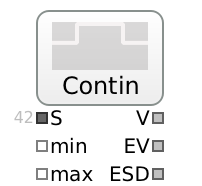
RandomContinuous Block
Generates continuous random variates from an empirical distribution by the inversion method: the cumulative distribution function F is linear between support points, and each variate is F⁻¹(u) for a uniform u.
Without frequencies, values are raw measurements in any order: every gap between the sorted values gets the same probability (Law & Kelton), so tied values form a point mass. To let variates fall outside the observed range (Banks et al.), add the extra support point to values, e.g. 0 for durations.
With frequencies, a histogram is given: values are its k+1 non-decreasing bin edges and frequencies the k relative frequencies of the bins, normalized by their sum; variates are uniform within each bin, and a bin of zero width is a point mass.
In both cases lower/upper truncate the distribution like for the other random blocks: a bin or gap cut by a bound keeps the share of its probability that lies inside, and a point mass is kept if it lies within the bounds.

Attributes
| Attribute | Type | Default | Wire input | Description |
|---|---|---|---|---|
seed | NonNegativeInt | 0 | parameterSeed | Seed value for the random number generator. If set to 0, the global generator is used. |
values | Array | "0,1" | — | Without frequencies: raw measurements in any order, each gap between the sorted values gets equal probability, e.g. [3.1, 4.7, 5.2, 8.0]; add an extra support point such as 0 to extend the range (Banks). With frequencies: the k+1 histogram bin edges, non-decreasing, a zero-width bin is a point mass. |
frequencies | Array | "" | — | Optional; non-empty selects histogram mode: non-negative relative frequency of each bin, one fewer than values, normalized by their sum. |
lower | Real | −∞ | parameterLower | Lower value of the truncated distribution, in both modes. |
upper | Real | ∞ | parameterUpper | Upper value of the truncated distribution, in both modes. |
Data inputs (silver sockets on the left)
| Connector | Label | Attribute | Type | Default | Description |
|---|---|---|---|---|---|
parameterSeed | S | seed | NonNegativeInt | 0 | Seed value for the random number generator. If set to 0, the global generator is used. |
parameterLower | min | lower | Real | −∞ | Lower value of the truncated distribution |
parameterUpper | max | upper | Real | ∞ | Upper value of the truncated distribution |
Measures (silver sockets on the right)
| Connector | Label | Name | Description | Statistics |
|---|---|---|---|---|
measureRandomVariate | V | nextVariate | Random variate | — |
measureExpectedValue | EV | expectedValue | Expected value for the given parameterization, including the limits | — |
measureExpectedStdDev | ESD | expectedStdDev | Expected standard deviation for the given parameterization, including the limits | — |
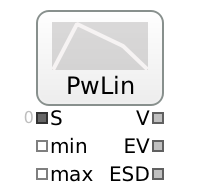
RandomPiecewiseLinear Block
Generates continuous random variates whose density is piecewise linear: values are k+1 non-decreasing points and densities the density at each point, linear in between and normalized by the total area. A repeated value is a jump of the density, e.g. values [0,1,1,2] with densities [1,1,3,3] is a step. The triangular distribution with lower, mode, upper is values [lower,mode,upper] with densities [0,1,0].
lower/upper truncate the distribution like for the other random blocks: the density is cut at the bounds.

Attributes
| Attribute | Type | Default | Wire input | Description |
|---|---|---|---|---|
seed | NonNegativeInt | 0 | parameterSeed | Seed value for the random number generator. If set to 0, the global generator is used. |
values | Array | "0,1" | — | k+1 non-decreasing points, at least 2, e.g. [0, 1, 3, 4]; a repeated value is a jump of the density there. |
densities | Array | "1,1" | — | Non-negative density at each point, same length as values, linear in between and normalized by the total area, e.g. [0, 2, 1, 0]; at a jump the first and last density of the repeated value are the left and right limits. |
lower | Real | −∞ | parameterLower | Lower value of the truncated distribution: the density is cut there. |
upper | Real | ∞ | parameterUpper | Upper value of the truncated distribution: the density is cut there. |
Data inputs (silver sockets on the left)
| Connector | Label | Attribute | Type | Default | Description |
|---|---|---|---|---|---|
parameterSeed | S | seed | NonNegativeInt | 0 | Seed value for the random number generator. If set to 0, the global generator is used. |
parameterLower | min | lower | Real | −∞ | Lower value of the truncated distribution |
parameterUpper | max | upper | Real | ∞ | Upper value of the truncated distribution |
Measures (silver sockets on the right)
| Connector | Label | Name | Description | Statistics |
|---|---|---|---|---|
measureRandomVariate | V | nextVariate | Random variate | — |
measureExpectedValue | EV | expectedValue | Expected value for the given parameterization, including the limits | — |
measureExpectedStdDev | ESD | expectedStdDev | Expected standard deviation for the given parameterization, including the limits | — |
RandomGamma Block
Generates gamma distributed random variates adhering to the given shape k and scale θ.


Attributes
| Attribute | Type | Default | Wire input | Description |
|---|---|---|---|---|
seed | NonNegativeInt | 0 | parameterSeed | Seed value for the random number generator. If set to 0, the global generator is used. |
shape | NonNegativeReal | 1 | parameterShape | Shape k of gamma distribution |
scale | NonNegativeReal | 1 | parameterScale | Scale θ of gamma distribution |
lower | Real | −∞ | parameterLower | Lower value of the truncated distribution |
upper | NonNegativeReal | ∞ | parameterUpper | Upper value of the truncated distribution |
Data inputs (silver sockets on the left)
| Connector | Label | Attribute | Type | Default | Description |
|---|---|---|---|---|---|
parameterSeed | S | seed | NonNegativeInt | 0 | Seed value for the random number generator. If set to 0, the global generator is used. |
parameterShape | k | shape | NonNegativeReal | 1 | Shape k of gamma distribution |
parameterScale | θ | scale | NonNegativeReal | 1 | Scale θ of gamma distribution |
parameterLower | min | lower | Real | −∞ | Lower value of the truncated distribution |
parameterUpper | max | upper | NonNegativeReal | ∞ | Upper value of the truncated distribution |
Measures (silver sockets on the right)
| Connector | Label | Name | Description | Statistics |
|---|---|---|---|---|
measureRandomVariate | V | nextVariate | Random variate | — |
measureExpectedValue | EV | expectedValue | Expected value for the given parameterization, including the limits | — |
measureExpectedStdDev | ESD | expectedStdDev | Expected standard deviation for the given parameterization, including the limits | — |
RandomWeibull Block
Generates Weibull distributed random variates adhering to the given shape k and scale θ.


Attributes
| Attribute | Type | Default | Wire input | Description |
|---|---|---|---|---|
seed | NonNegativeInt | 0 | parameterSeed | Seed value for the random number generator. If set to 0, the global generator is used. |
shape | NonNegativeReal | 1 | parameterShape | Shape k of Weibull distribution |
scale | NonNegativeReal | 1 | parameterScale | Scale θ of Weibull distribution |
lower | Real | −∞ | parameterLower | Lower value of the truncated distribution |
upper | NonNegativeReal | ∞ | parameterUpper | Upper value of the truncated distribution |
Data inputs (silver sockets on the left)
| Connector | Label | Attribute | Type | Default | Description |
|---|---|---|---|---|---|
parameterSeed | S | seed | NonNegativeInt | 0 | Seed value for the random number generator. If set to 0, the global generator is used. |
parameterShape | k | shape | NonNegativeReal | 1 | Shape k of Weibull distribution |
parameterScale | θ | scale | NonNegativeReal | 1 | Scale θ of Weibull distribution |
parameterLower | min | lower | Real | −∞ | Lower value of the truncated distribution |
parameterUpper | max | upper | NonNegativeReal | ∞ | Upper value of the truncated distribution |
Measures (silver sockets on the right)
| Connector | Label | Name | Description | Statistics |
|---|---|---|---|---|
measureRandomVariate | V | nextVariate | Random variate | — |
measureExpectedValue | EV | expectedValue | Expected value for the given parameterization, including the limits | — |
measureExpectedStdDev | ESD | expectedStdDev | Expected standard deviation for the given parameterization, including the limits | — |
RandomNormal Block
Generates normally distributed random variates adhering to the given mean µ and standard deviation stddev σ.


Attributes
| Attribute | Type | Default | Wire input | Description |
|---|---|---|---|---|
seed | NonNegativeInt | 0 | parameterSeed | Seed value for the random number generator. If set to 0, the global generator is used. |
mean | Real | 0 | parameterMean | Mean µ (location) of normal distribution |
stddev | NonNegativeReal | 1 | parameterStddev | Standard deviation σ (shape) of normal distribution |
lower | Real | −∞ | parameterLower | Lower value of the truncated distribution |
upper | Real | ∞ | parameterUpper | Upper value of the truncated distribution |
Data inputs (silver sockets on the left)
| Connector | Label | Attribute | Type | Default | Description |
|---|---|---|---|---|---|
parameterSeed | S | seed | NonNegativeInt | 0 | Seed value for the random number generator. If set to 0, the global generator is used. |
parameterMean | µ | mean | Real | 0 | Mean µ (location) of normal distribution |
parameterStddev | σ | stddev | NonNegativeReal | 1 | Standard deviation σ (shape) of normal distribution |
parameterLower | min | lower | Real | −∞ | Lower value of the truncated distribution |
parameterUpper | max | upper | Real | ∞ | Upper value of the truncated distribution |
Measures (silver sockets on the right)
| Connector | Label | Name | Description | Statistics |
|---|---|---|---|---|
measureRandomVariate | V | nextVariate | Random variate | — |
measureExpectedValue | EV | expectedValue | Expected value for the given parameterization, including the limits | — |
measureExpectedStdDev | ESD | expectedStdDev | Expected standard deviation for the given parameterization, including the limits | — |
RandomLognormal Block
Generates log-normally distributed random variates adhering to the given mean µ and standard deviation stddev σ.
Here mean is the location parameter µ of the underlying normal, not the average of the variates: the median is exp(mean) and the arithmetic mean is larger still. To target an average value, do not set mean to it directly.


Attributes
| Attribute | Type | Default | Wire input | Description |
|---|---|---|---|---|
seed | NonNegativeInt | 0 | parameterSeed | Seed value for the random number generator. If set to 0, the global generator is used. |
mean | Real | 1 | parameterMean | Location µ (exp(mean)) of lognormal distribution |
stddev | NonNegativeReal | 1 | parameterStddev | Standard deviation σ (shape) of lognormal distribution |
lower | Real | −∞ | parameterLower | Lower value of the truncated distribution |
upper | NonNegativeReal | ∞ | parameterUpper | Upper value of the truncated distribution |
Data inputs (silver sockets on the left)
| Connector | Label | Attribute | Type | Default | Description |
|---|---|---|---|---|---|
parameterSeed | S | seed | NonNegativeInt | 0 | Seed value for the random number generator. If set to 0, the global generator is used. |
parameterMean | µ | mean | Real | 1 | Location µ (exp(mean)) of lognormal distribution |
parameterStddev | σ | stddev | NonNegativeReal | 1 | Standard deviation σ (shape) of lognormal distribution |
parameterLower | min | lower | Real | −∞ | Lower value of the truncated distribution |
parameterUpper | max | upper | NonNegativeReal | ∞ | Upper value of the truncated distribution |
Measures (silver sockets on the right)
| Connector | Label | Name | Description | Statistics |
|---|---|---|---|---|
measureRandomVariate | V | nextVariate | Random variate | — |
measureExpectedValue | EV | expectedValue | Expected value for the given parameterization, including the limits | — |
measureExpectedStdDev | ESD | expectedStdDev | Expected standard deviation for the given parameterization, including the limits | — |
RandomPERT Block
Generates PERT distributed random variates in the range [lower,upper] for an expert estimate: at least lower, most likely mode, at most upper, where lower≤mode≤upper. It is a beta distribution rescaled to the range with mean (lower+shape·mode+upper)/(shape+2).
The shape λ is the weight of the mode: 4 is the classic PERT, larger values concentrate the variates more around the mode, and 0 is the uniform distribution.


Attributes
| Attribute | Type | Default | Wire input | Description |
|---|---|---|---|---|
seed | NonNegativeInt | 0 | parameterSeed | Seed value for the random number generator. If set to 0, the global generator is used. |
lower | Real | 0 | parameterLower | Lower value: at least |
mode | Real | (lower + upper)/2 | parameterMode | Mode value: most likely |
upper | Real | 1 | parameterUpper | Upper value: at most |
shape | NonNegativeReal | 4 | parameterShape | Shape λ: weight of the mode, 4 is the classic PERT, 0 is uniform |
Data inputs (silver sockets on the left)
| Connector | Label | Attribute | Type | Default | Description |
|---|---|---|---|---|---|
parameterSeed | S | seed | NonNegativeInt | 0 | Seed value for the random number generator. If set to 0, the global generator is used. |
parameterLower | lower | lower | Real | 0 | Lower value: at least |
parameterMode | mode | mode | Real | (lower + upper)/2 | Mode value: most likely |
parameterUpper | upper | upper | Real | 1 | Upper value: at most |
parameterShape | λ | shape | NonNegativeReal | 4 | Shape λ: weight of the mode, 4 is the classic PERT, 0 is uniform |
Measures (silver sockets on the right)
| Connector | Label | Name | Description | Statistics |
|---|---|---|---|---|
measureRandomVariate | V | nextVariate | Random variate | — |
measureExpectedValue | EV | expectedValue | Expected value for the given parameterization, including the limits | — |
measureExpectedStdDev | ESD | expectedStdDev | Expected standard deviation for the given parameterization, including the limits | — |
Report Blocks
Report blocks display simulation data and compute statistics from the values wired into their parameter array parameters[0], parameters[1], ….
Chart Block
Shows a stairstep line chart of the given input parameters P. Each input is drawn in another color.
With multiple replications or editions, the x-axis lays them out side-by-side by default. Set overlayReplications to superimpose all replications within an edition into one window, and overlayEditions to superimpose editions. Setting both yields a spaghetti plot where every trajectory overlaps in a single window. Set clearBetweenReplications or clearBetweenEditions to drop the earlier runs' series whenever a new replication or edition starts.
By default, the x-axis is simulation time. Unset timeAbscissa to switch to a running observation count instead: each appended sample advances x by one, regardless of the simulation time at which it arrived. Useful when interesting structure is compressed by sporadic or bursty event timing — e.g. a queue length that updates rarely between long idle periods. Slot widths are sized by the longest leaf's observation count, leaving blank tails for shorter ones; raw (time, value) data is retained so toggling is lossless.


Attributes
| Attribute | Type | Default | Wire input | Description |
|---|---|---|---|---|
numParameters | PositiveInt | 1 | — | Number of data inputs parameters[0], parameters[1], …. |
overlayReplications | Bool | false | — | Draw all replications of an edition on top of each other. |
overlayEditions | Bool | false | — | Draw all editions on top of each other. |
clearBetweenReplications | Bool | false | — | Drop the earlier data when a new replication starts. |
clearBetweenEditions | Bool | false | — | Drop the earlier data when a new edition starts. |
timeAbscissa | Bool | true | — | The x-axis is simulation time; false uses a running observation count. |
logScale | Bool | false | — | Logarithmic y-axis. |
sameScale | Bool | false | — | All inputs share one y range. |
active | Bool | true | parameterActive | Activates this block |
Data inputs (silver sockets on the left)
| Connector | Label | Attribute | Type | Default | Description |
|---|---|---|---|---|---|
parameterActive | — | active | Bool | true | Activates this block |
parameters[0] | P[0] | — | Variant | — | Parameter 0 |
There are numParameters indexed parameters[…], numbered from 0; the table shows the default numParameters = 1.
Histogram Block
Displays a histogram of the given input parameters P. Each input is drawn in another color.


Attributes
| Attribute | Type | Default | Wire input | Description |
|---|---|---|---|---|
numParameters | PositiveInt | 1 | — | Number of data inputs parameters[0], parameters[1], …. |
active | Bool | true | parameterActive | Activates this block |
resetOnRunStart | Bool | false | — | Start a new histogram with every run; false collects all runs into one histogram. |
timeAverage | Bool | false | — | Weight each value by how long it held, for levels such as a queue length. |
numBuckets | NonNegativeInt | 0 | — | Number of buckets; 0 chooses it automatically. |
Data inputs (silver sockets on the left)
| Connector | Label | Attribute | Type | Default | Description |
|---|---|---|---|---|---|
parameterActive | — | active | Bool | true | Activates this block |
parameters[0] | P[0] | — | Variant | — | Parameter 0 |
There are numParameters indexed parameters[…], numbered from 0; the table shows the default numParameters = 1.
Report Block
Collects a protocol of the given input parameters P.


Attributes
| Attribute | Type | Default | Wire input | Description |
|---|---|---|---|---|
numParameters | PositiveInt | 1 | — | Number of data inputs parameters[0], parameters[1], …. |
active | Bool | true | parameterActive | Activates this block |
clearBetweenReplications | Bool | true | — | Drop the earlier data when a new replication starts. |
clearBetweenEditions | Bool | true | — | Drop the earlier data when a new edition starts. |
Data inputs (silver sockets on the left)
| Connector | Label | Attribute | Type | Default | Description |
|---|---|---|---|---|---|
parameterActive | — | active | Bool | true | Activates this block |
parameters[0] | P[0] | — | Variant | — | Parameter 0 |
There are numParameters indexed parameters[…], numbered from 0; the table shows the default numParameters = 1.
Statistics Block
Computes mean values and confidence intervals of the given input parameters P.
The mean is an arithmetic mean – unless timeAverage is set: then it is time-weighted, which suits levels that vary over time, such as a queue length.
If multiple runs or batches are available, confidence levels are calculated using the Student t distribution, with the radius by the confidence attribute. The confidence must be in the range (0,1). The confidence attribute is the tail probability α, not the coverage: set it to 0.05 for a 95% interval or 0.01 for a 99% interval, since the reported interval is 1−confidence. If only a single run or batch is available, no confidence intervals are calculated.
The output measures are laid out in two contiguous blocks, not interleaved: for numParameters inputs, measures[0]…measures[numParameters−1] are the per-input means labelled M[0]…M[numParameters−1], and measures[numParameters]…measures[2·numParameters−1] are the means of means labelled MM[0]…MM[numParameters−1]. So the mean of the second input is measures[1] (M[1]) while its mean of means is measures[numParameters+1] (MM[1]).
Advanced options. Instead of a mean, setting cumulative yields the difference between start and end values.
Setting quantile to a value in [0,1] reports a per-batch quantile instead of a mean (0 = min, 1 = max); cross-batch aggregation and the confidence interval are computed the same way. With timeAverage the per-batch quantile is time-weighted by segment duration; otherwise Type-7 linear interpolation between order statistics is used. quantile overrides cumulative.
The timeWidths flag controls how warmupWidth and batchWidth are interpreted: when true (default), both are simulation-time durations; when false, both are record counts. Observations before the warmup are not considered in the statistics — in time mode that means records with time < warmupWidth; in count mode it means the first warmupWidth records of each replication.
When warmupMSER is set and warmupWidth is 0, the warmup is chosen automatically by the MSER-5 rule (White 1997; Hoad/Robinson/Davies 2010), applied to ensemble-averaged chunks of 5 raw observations per parameter. The maximum suggestion across parameters is written into warmupWidth (a simulation time in time mode, a record count in count mode), triggering a recalculation. That attribute can also be flipped on after the simulation has run: as long as warmupWidth is 0, MSER will be evaluated and applied retroactively. Switching it off again resets warmupWidth to 0, unless you have changed warmupWidth yourself in the meantime.
Note: when warmupMSER picks the warmup from the same data that the statistics are computed on, the resulting confidence interval is mildly anti-conservative (slightly too narrow), because the same observations are used to both choose the truncation and estimate the mean. For tight-precision claims, use a pilot edition to choose the warmup and apply it to a fresh production edition.
The batch means procedure is configured using batchWidth and numBatches. In time-mode batchWidth denotes the Δt per batch; in count-mode batchWidth denotes the number of consecutive records per batch and is resolved post-hoc — leave it NaN to derive from numBatches, or set it explicitly (which then takes precedence over numBatches).
Setting ar1Correction widens the confidence interval when consecutive batch means are positively correlated: the variance of the mean is multiplied by (1+ρ)/(1−ρ), where ρ is the lag-1 autocorrelation of the batch means. Use it when the batches are short compared with how long the data stay correlated.
A recalculation after the run (a changed setting, or warmupMSER writing its warmup) only updates this block's own view: the wired blocks keep what was sent during the run; run again to pass the new results on.


Attributes
| Attribute | Type | Default | Wire input | Description |
|---|---|---|---|---|
numParameters | PositiveInt | 1 | — | Number of data inputs parameters[0], parameters[1], …. |
active | Bool | true | parameterActive | Activates this block |
confidence | Real01 | 0.05 | — | Tail probability α of the confidence interval: 0.05 gives a 95% interval. |
quantile | Real01Closed | NaN | — | Report this per-batch quantile (0 = min, 1 = max) instead of a mean; NaN reports the mean. |
timeAverage | Bool | false | — | Weight each value by how long it held, for levels such as a queue length. |
cumulative | Bool | false | — | Report the increase from start to end instead of a mean. |
warmupWidth | NonNegativeFiniteReal | 0 | — | Warm-up to discard: a simulation time, or a record count when timeWidths is false. |
warmupMSER | Bool | false | — | Choose the warm-up automatically by the MSER-5 rule while warmupWidth is 0. |
numBatches | PositiveInt | 1 | — | Number of batches per run for the batch means method. |
batchWidth | NonNegativeReal | (duration − warmupWidth)/numBatches, or NaN when timeWidths is false | — | Width of a batch: a simulation-time span, or a record count when timeWidths is false; NaN derives it from numBatches. |
timeWidths | Bool | true | — | warmupWidth and batchWidth are simulation times; false makes them record counts. |
ar1Correction | Bool | false | — | Widen the confidence interval for positively correlated batch means. |
Data inputs (silver sockets on the left)
| Connector | Label | Attribute | Type | Default | Description |
|---|---|---|---|---|---|
parameterActive | — | active | Bool | true | Activates this block |
parameters[0] | P[0] | — | Variant | — | Parameter 0 |
There are numParameters indexed parameters[…], numbered from 0; the table shows the default numParameters = 1.
Measures (silver sockets on the right)
| Connector | Label | Description | Statistics |
|---|---|---|---|
measures[0] | M[0] | Last mean value | — |
measures[1] | MM[0] | Last mean of means | — |
There are 2·numParameters (the means M[…] first, then the means of means MM[…]) indexed measures[…], numbered from 0; the table shows the default numParameters = 1.
SummaryStatistics Block
Estimates the mean and confidence interval of a sample of results, such as the batch means M of a Statistics block wired into its input V.
Every incoming value is one observation: there is no time weighting, warmup or batching. Values are grouped by edition and replication as they arrive, kept in their order within a replication; NaN values are ignored. At the end of each edition, the mean, confidence interval and standard deviation are computed exactly as Statistics computes its mean of means MM from its batch means: per replication the mean of its values, over the replications the Student t interval with R−1 degrees of freedom, or with a single replication with n−1 from its values. So Statistics.M wired in reproduces MM and its interval, and a Function in between (e.g. M[0]=P[0]<=20?1:0) gives the estimate of a derived result.
confidence is the tail probability α (0.05 gives a 95% interval). ar1Correction widens the interval when consecutive values within a replication are positively correlated, as in Statistics. Setting quantile to a value in [0,1] (0 = min, 1 = max) adds the measure Q: the sample quantile per edition over the same unit as the interval, the replication means (the values with a single replication), without a confidence interval.
The measures are the mean, the half-width ± and the limits L and U of the confidence interval, the standard deviation SD of the replication means (of the values with a single replication), the number N of values used and, with quantile set, the quantile Q. Values arriving outside a replication, such as the MM of a Statistics, are ignored. The results of an edition are set at its end together with the MM of the Statistics blocks, before edition-end blocks such as the optimizers read their inputs.
What flowed during the run is what the wired blocks received: a recalculation after the run only updates the view of the recalculating block, such as this one after confidence, ar1Correction or quantile changed, or a Statistics after a setting changed or after warmupMSER chose its warmup at the end of the run (this block then keeps the run's estimate). Run again to pass the new results on (MSER's warmup then holds from the start).


Attributes
| Attribute | Type | Default | Wire input | Description |
|---|---|---|---|---|
active | Bool | true | parameterActive | Activates this block |
confidence | Real01 | 0.05 | — | Tail probability α of the confidence interval: 0.05 gives a 95% interval. |
quantile | Real01Closed | NaN | — | NaN (default): no quantile; otherwise the measure Q is this quantile in [0,1] (0 = min, 1 = max) of the replication means (of the values with a single replication), per edition, without a confidence interval. |
ar1Correction | Bool | false | — | Widen the interval by (1+ρ)/(1−ρ) for a positive lag-1 autocorrelation ρ of the values within a replication. |
Data inputs (silver sockets on the left)
| Connector | Label | Attribute | Type | Default | Description |
|---|---|---|---|---|---|
parameterActive | — | active | Bool | true | Activates this block |
parameterValue | V | — | Variant | — | Result value, one observation each (e.g. Statistics M) |
Measures (silver sockets on the right)
| Connector | Label | Name | Description | Statistics |
|---|---|---|---|---|
measureMean | M | mean | Mean of the last edition | — |
measureHalfWidth | ± | halfWidth | Confidence interval half-width of the mean | — |
measureLower | L | lower | Lower confidence limit of the mean | — |
measureUpper | U | upper | Upper confidence limit of the mean | — |
measureSd | SD | sd | Standard deviation of the replication means (of the values with one replication) | — |
measureN | N | n | Number of values used | — |
measureQuantile | Q | quantile | Quantile of the replication means (of the values with one replication), with quantile set | — |
EnsemblePlot Block
Displays a Welch plot of the given input parameters P, used to identify the warm-up (transient) phase before steady state. Needs multiple replications to be meaningful; about 5 or more is typical.
Across replications, each input is ensemble-averaged by observation index — Ȳⱼ = (1/R) Σᵢ Yᵢⱼ — then smoothed with a moving average of half-width windowWidth (window size 2w+1, shrinking near the edges; windowWidth = 0 disables smoothing and plots the raw ensemble mean). The warm-up duration is read off where the smoothed curve flattens. With the default batchWidth = 1 this is Welch's (1983) canonical procedure: one plot point per observation index. Setting batchWidth = N > 1 first averages N consecutive observations into each plot point (batch means; Law, Simulation Modeling & Analysis), a standard refinement for legibility on long runs that preserves the same warm-up reading. Unlike the Statistics block (which defaults to time-defined batching in both modes via timeWidths for cross-parameter comparability), EnsemblePlot batches by sample count in obs mode — matching Welch's obs-indexed definition and keeping batch variance homogeneous through the early ramp-up region where the warm-up diagnostic matters most. As a rule of thumb, keep windowWidth below ¼ of the resulting plot's bucket count to avoid over-smoothing.
When timeAverage is set, buckets are time-weighted across the simulation duration (suitable for continuous-time state variables like queue length); batchWidth then denotes the Δt per bucket and auto-defaults to duration/100. Otherwise, the canonical observation-indexed Welch procedure is used, bucketing each replication's observations into non-overlapping batches of size batchWidth (suitable for per-event observations like waiting times). By default ragged is set, so bucketing extends to ⌊max(mᵢ)/N⌋ batches and each bucket is averaged only over the replications that reach it (tail buckets noisier but no data discarded). With timeAbscissa, the per-bucket mean time is clamped to monotonic at rep-dropout boundaries — visible as small plateaus marking where the contributing-rep count drops. Turn ragged off for canonical Welch with uniform R per bucket (cap at ⌊min(mᵢ)/N⌋, longer reps' tails dropped).
When timeAbscissa is set (the default), each obs-indexed batch is positioned on the time axis at the mean simulation time of its constituent observations (averaged across replications), so the x-axis is directly comparable with other time-indexed plots; otherwise batches are placed at evenly-spaced positions across [0, duration]. timeAbscissa has no effect when timeAverage is set, since time-averaged buckets are already time-defined.
When showMser is set, a dashed vertical line per parameter marks the truncation point recommended by MSER-5 (White 1997; Hoad/Robinson/Davies 2010), computed on the ensemble bucket means — useful for confirming the visually-identified warmup. For an automated warmup applied to downstream statistics, set the Statistics block's warmupMSER attribute instead, which evaluates MSER-5 on raw observations and writes the suggestion into warmupWidth. That attribute can also be flipped on after the simulation has run: as long as warmupWidth is 0, MSER will be evaluated and applied retroactively.
When showRaw is set, the un-smoothed ensemble mean is drawn as a faint underlay behind the smoothed line, revealing what the moving average is removing.
All knobs (batchWidth, ragged, windowWidth, timeAverage, timeAbscissa) can be changed after the simulation has finished and the plot re-derives from retained raw data.


Attributes
| Attribute | Type | Default | Wire input | Description |
|---|---|---|---|---|
numParameters | PositiveInt | 1 | — | Number of data inputs parameters[0], parameters[1], …. |
batchWidth | PositiveFiniteReal | 1, or duration/100 when timeAverage is set | — | Observations per plot point, or the time span per bucket when timeAverage is set. |
ragged | Bool | true | — | Average each bucket only over the replications that reach it; false cuts all replications to the shortest one. |
windowWidth | NonNegativeInt | 5 | — | Half-width w of the moving average (window 2w+1); 0 disables smoothing. |
timeAverage | Bool | false | — | Weight each value by how long it held, for levels such as a queue length. |
timeAbscissa | Bool | true | — | Place each point at the mean simulation time of its observations; false spaces the points evenly. |
showMser | Bool | true | — | Mark the MSER-5 truncation point with a dashed line. |
showRaw | Bool | false | — | Draw the unsmoothed ensemble mean underneath. |
logScale | Bool | false | — | Logarithmic y-axis. |
sameScale | Bool | false | — | All inputs share one y range; false gives each its own. |
active | Bool | true | parameterActive | Activates this block |
Data inputs (silver sockets on the left)
| Connector | Label | Attribute | Type | Default | Description |
|---|---|---|---|---|---|
parameterActive | — | active | Bool | true | Activates this block |
parameters[0] | P[0] | — | Variant | — | Parameter 0 |
There are numParameters indexed parameters[…], numbered from 0; the table shows the default numParameters = 1.
Steering
Every model has one Steering block. It holds the run settings: how long the simulation runs, how many replications and editions it makes, the global seed and the animation speed.
Steering Block
Settings for the simulation like duration, number of replications, global seed, and simulation speed. Display of current virtual time and the current replication number. When input active is set to false, the simulation is halted.


Attributes
| Attribute | Type | Default | Wire input | Description |
|---|---|---|---|---|
duration | NonNegativeReal | 10000 | parameterDuration | Duration |
editions | PositiveInt | 1 | parameterEditions | Editions |
replications | PositiveInt | 1 | parameterReplications | Replications |
seed | PositiveInt | time-based, so every start differs | parameterSeed | Global seed |
speed | PositiveReal | 1 | parameterSpeed | Speed (velocity) of animation |
active | Bool | true | parameterActive | Activates this block |
Data inputs (silver sockets on the left)
| Connector | Label | Attribute | Type | Default | Description |
|---|---|---|---|---|---|
parameterActive | — | active | Bool | true | Activates this block |
parameterDuration | D | duration | NonNegativeReal | 10000 | Duration |
parameterEditions | E | editions | PositiveInt | 1 | Editions |
parameterReplications | R | replications | PositiveInt | 1 | Replications |
parameterSeed | S | seed | PositiveInt | time-based, so every start differs | Global seed |
parameterSpeed | V | speed | PositiveReal | 1 | Speed (velocity) of animation |
Measures (silver sockets on the right)
| Connector | Label | Description | Statistics |
|---|---|---|---|
measureCurrentVirtualTime | T | Current virtual time | — |
measureFinished | F | Current simulation run finished? | — |
measureEdition | EN | Current edition number | — |
measureReplication | RN | Current replication number | — |
Glossary
Attribute: A property of a block that you set inside its braces, such as capacity: 5.
Batch means: A way to get a confidence interval from one long run: the run is cut into batches, and the batch averages are treated as independent observations.
Block: A building block of a model, such as Arrive, Queue or Statistics. Each has an id.
Confidence interval: A range around an estimated mean that contains the true mean with a chosen probability, such as 95%.
Connector: A Pipe or Wire that links two sockets. It is written with from and to.
Edition: One configuration of the model. Several editions run the model with different settings, for example to compare designs or to optimize.
Ensemble: All replications of an edition taken together. An ensemble average averages them at the same observation index or time.
Entity: An object that moves through the entity blocks, such as a customer or a part.
Entity attribute: A named value carried by an entity, such as lastWait. See Entity Attributes.
Measure: A value that a block reports at a data socket on its right, such as a queue length.
MSER-5: A rule that chooses the warm-up length automatically: it cuts off the start of the run where that makes the remaining data most stable, working on averages of 5 observations.
Parameter: A data input of a block, on its left. A Wire can drive it during the run.
Renege: To give up waiting: a queued entity leaves through outRenege when its renege duration has passed.
Replication: A repeated run of the same edition with different random numbers. Results are averaged over the replications.
Seed: The start value of a random number generator. The same seed gives the same random numbers, so runs can be repeated.
Socket: A connection point of a block: green entity sockets for pipes, silver data sockets for wires.
Sojourn time: The total time an entity spends in the model, from its creation until it leaves.
Time-weighted: Averaged over time: each value counts as long as it held. Right for levels such as a queue length.
Variate: One random number drawn from a probability distribution.
Warm-up: The start phase of a run, before the model settles into a steady state. It is usually left out of the statistics.
Welch plot: A plot of the ensemble average over time, smoothed with a moving average. The point where it flattens shows the end of the warm-up. See the EnsemblePlot block.