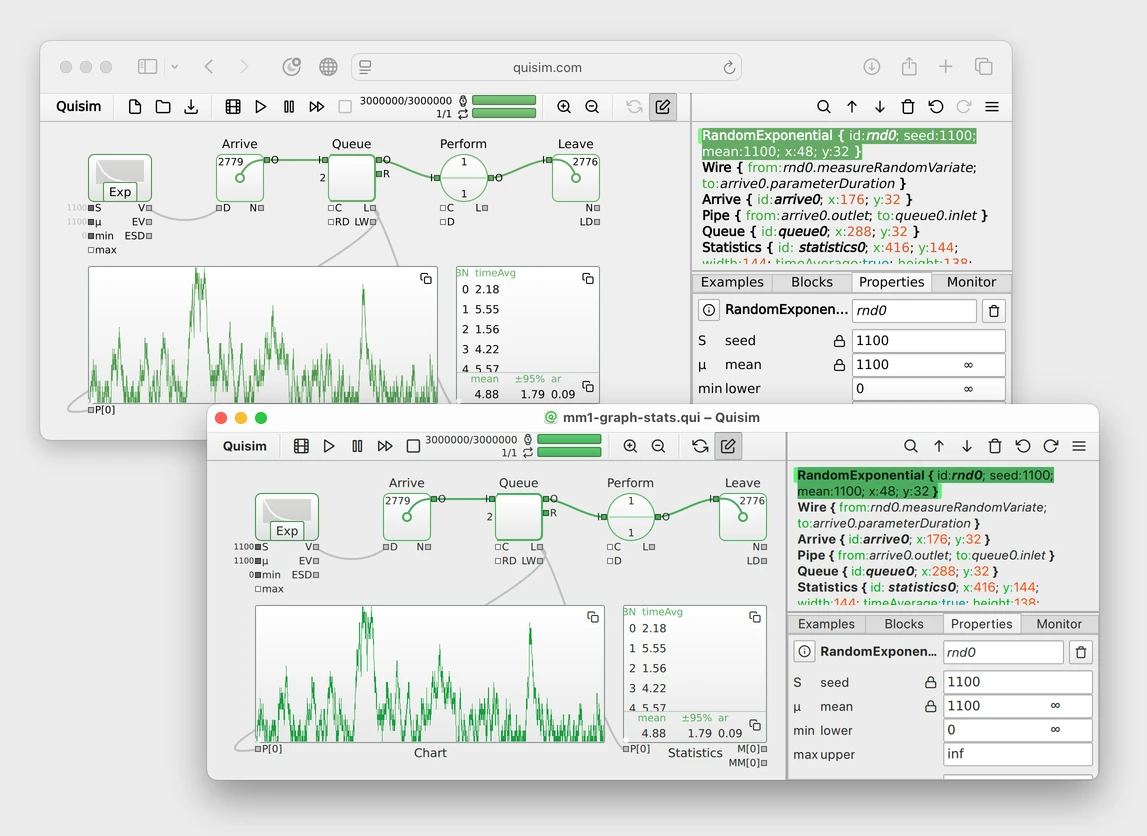
Appearance
Features
Visual Model Builder
Build simulation models visually with drag-and-drop blocks and connections. The underlying modeling code is always accessible too — switch freely between the visual builder and the code, and see changes reflected instantly in both.
- Drag-and-drop blocks — choose from a curated block library and connect them visually to define your model
- Modeling code — view and edit the model at any time; changes sync instantly with the visual builder
- Instant feedback — see the effect of every parameter change immediately, even during a running simulation
Real-Time Analytics
Monitor every aspect of your simulation as it runs.
- Live charts — watch outputs such as queue length or waiting time update in real time
- Entity animation — follow individual entities through the system to understand routing and delays
- Event list — a live view of every scheduled event for debugging and learning
- Queue utilization — a live monitor of queued entities
- Snapshot export — export simulation state as images (PDF/SVG/PNG) for reports (desktop only)
Statistical Analysis
Quisim makes state-of-the-art statistical methods easy to use, so results are not just numbers, but defensible numbers.
- Time-weighted averages — compute proper time averages for state variables such as queue length and utilization, not just sample means over events
- Warmup period — discard the initial transient so steady-state statistics aren't biased by startup conditions
- Multiple replications — run independent replications with different random seeds and compute confidence intervals on every output
- Batch means — for long single runs, split the trajectory into batches and derive confidence intervals from the batch means
- AR(1) correction — detect autocorrelation between batches and apply an AR(1) correction so confidence intervals stay valid even when batches aren't fully independent
Uncertainty modeling is the core strength of discrete event simulations. We support
- Standard distributions — Uniform, Exponential, Poisson, Normal, Lognormal, Gamma, Weibull
- Truncation built in — bound any distribution to a valid range
- Correct expected values — random number blocks report the true mean and variance, analytically computed, even for truncated distributions
- Common random numbers — reuse the same random number streams (globally and locally) across scenarios to reduce variance when comparing alternatives
- 1D parameter optimization — find the optimum of a single parameter using Brent's method, with replications and CRN for statistical validity
- Scriptable for everything else — multi-parameter sweeps, sensitivity analysis, and custom experiments are written in JavaScript functions
Transparent Code
Quisim uses plain text modeling code with clear abstractions: every model is a concise, readable document.
- Easy to understand and modify — small, focused abstractions that read like the model you sketched on paper
- Declarative syntax — describe what the system is, not how to simulate it; the engine handles the rest
- Everything visible at a glance — no hunting through nested property dialogs when a setting looks off; the whole model is in one view
- Edits at any scale — tweaking parameters or changing many blocks at once is also attained by just editing the code
- Future-proof — plain text means models can be generated, reviewed, and refactored with LLMs, version-controlled in Git, and diffed like code
- Claude+Codex-Interface — the integrated MCP server allows LLMs to read, write, run, and interpret your simulation models
Browser & Desktop
Quisim runs in your browser, or as a native desktop app with the same UI.
- Instant in the browser — just start modeling
- Native desktop app — install on macOS or Windows for improved local file access
- Faster on the desktop — the browser version is plenty fast, but the desktop app roughly doubles simulation speed for long experiments
- Identical models and results — a model built in the browser opens and runs with the same results on the desktop, and vice versa